The right desk upgrade can make focused work, calls, and creative projects feel more comfortable. These 10 gift ideas span everyday essentials and more specialized tech for home offices.
Consider how the recipient works before choosing: their devices, available desk space, and the tasks they do most can help narrow the options.
10 Home Office Tech Gift Ideas for Every Kind of Desk
JLab Go Work Wireless On-Ear Headset (1 Pack)

- Connect to two devices simultaneously with Bluetooth multipoint.
- Use the included cable for wired listening.
- Cloud Foam earcups are designed for all-day comfort.
Best Gift For: A remote worker who switches between computer and phone calls.

FIFINE T669 USB Microphone Kit

- Connect to a PC or laptop with a plug-and-play USB setup.
- The kit includes an adjustable boom arm stand.
- A double pop filter helps minimize popping sounds.
Best Gift For: A home office creator recording podcasts, voiceovers, or online conferences.
HUANUO FlowLift Dual Monitor Desk Mount

- Supports screens in the 13 to 32 inch size range.
- Arms support monitors weighing 4.4 to 19.8 lbs each.
- Cable management guides wires along the arms.
Best Gift For: A desk worker with two monitors and a compatible wooden desk.
TP-Link BE6500 WiFi 7 Router (BE400)
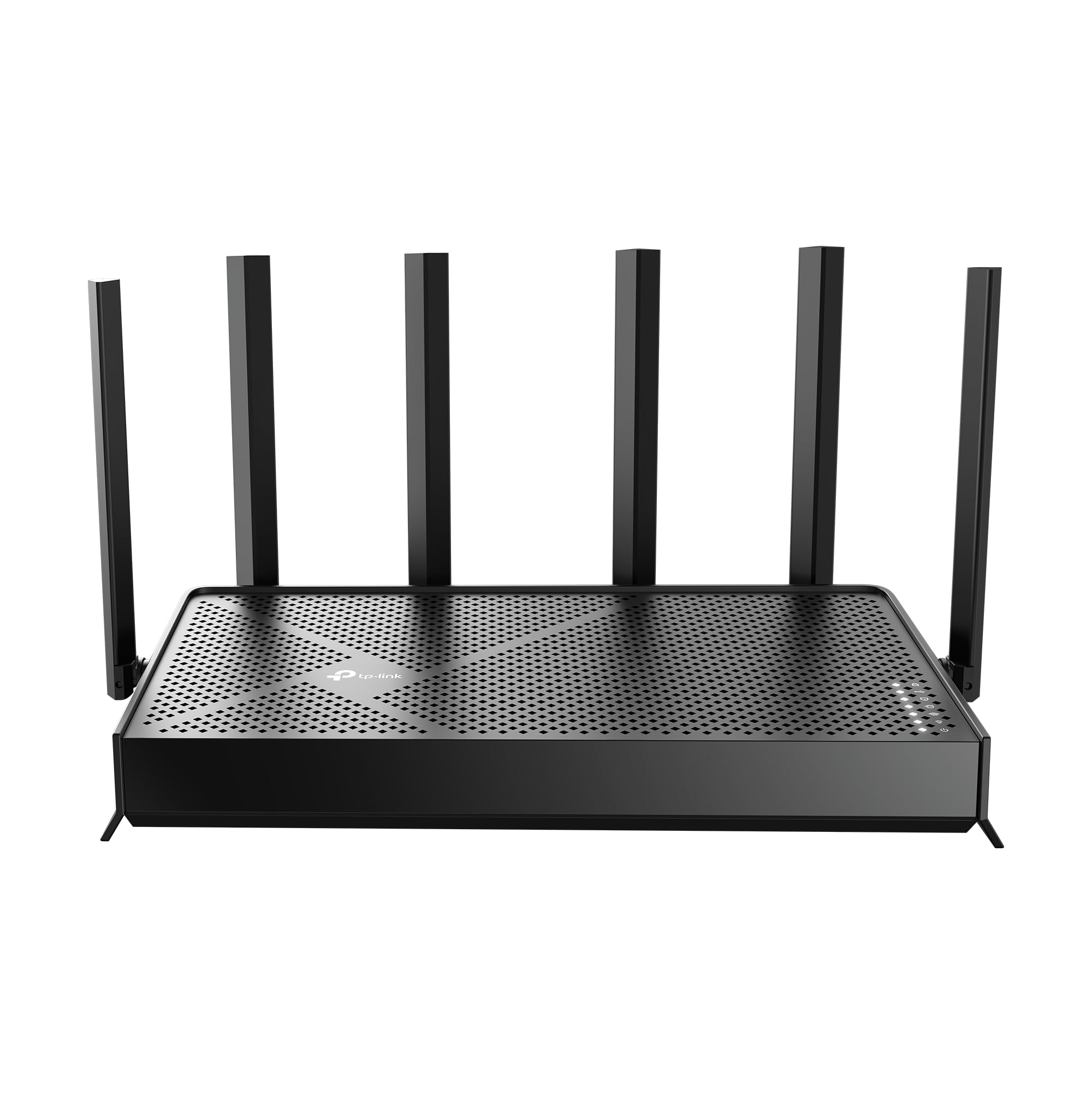
- Supports WiFi 7 features including Multi-Link Operation.
- Includes a 2.5 Gbps WAN/LAN port and a 2.5 Gbps LAN port.
- Setup and network management use the Tether app or web interface.
Best Gift For: A home-based worker looking to update a compatible home network.
SteelSeries Apex Pro TKL Gaming Keyboard

- Set per-key actuation across 40 levels.
- Program two actions to the same key.
- The keyboard has a detachable USB-C connection.
Best Gift For: A home office worker who also enjoys PC gaming at their desk.
Audioengine A2+ Wireless Computer Speakers – Red

- Use Bluetooth or connect through USB-C, RCA, or 3.5mm AUX.
- The integrated DAC connects to a computer through USB-C.
- Real wood cabinets are hand-finished.
Best Gift For: A desk worker who listens to music, podcasts, or audio during breaks.
Nulaxy Pull-Out Height Adjustable Laptop Stand

- Fits laptops from 10 to 17 inches.
- Adjust the screen height from 1.2 to 20 inches.
- The foldable stand is compact when stored.
Best Gift For: A laptop user who wants to alternate between sitting and standing at a desk.
Sleek Socket Flat Outlet Concealer with 3ft Cord
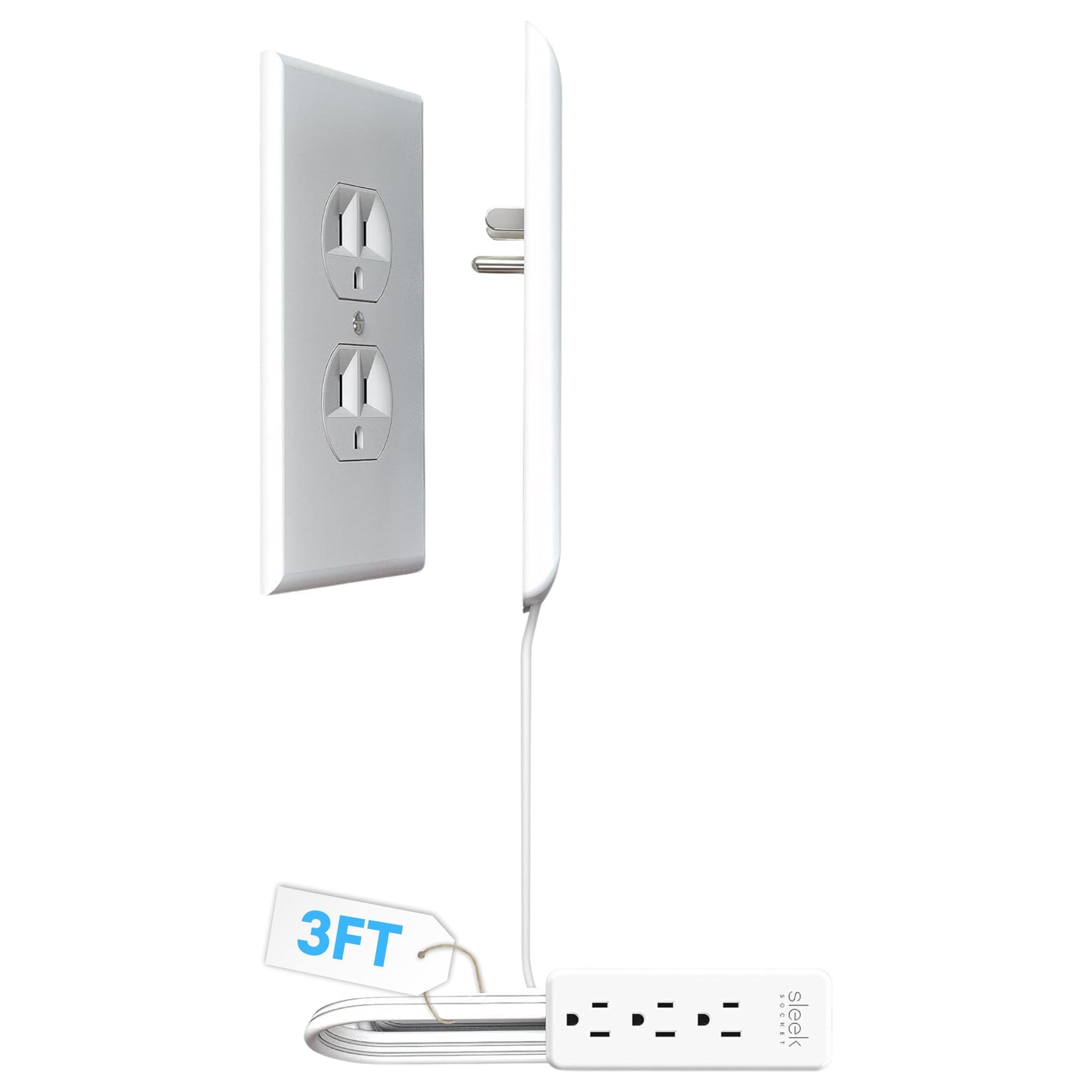
- The flat cord measures 3 feet.
- The kit includes a 3-outlet power strip.
- Adhesive clips help secure the cord to the wall.
Best Gift For: Someone organizing plugs and cords around a home office outlet.
SABRENT USB-C Hub & M.2 SSD Dock (HB-6PNV)

- The hub includes three USB Type-A ports.
- Connect an external display through HDMI 2.0.
- The internal M.2 slot supports SATA or NVMe SSDs.
Best Gift For: A laptop user who needs connections for peripherals, networking, or an external display.
MAONO Wave T5 Mini Wireless Lavalier Microphone

- Choose from four one-tap voice filters.
- The charging case provides 40 hours of total use.
- A Type-C port on the receiver can charge a phone while connected.
Best Gift For: A home office creator recording videos, interviews, or online lessons.
1. Choose home office tech gifts around the workday
When choosing home office tech gifts, start with the moments that interrupt or improve the recipient’s workday. Someone moving between meetings may value a headset; a person recording lessons or podcasts may appreciate a microphone.
For a desk worker focused on spreadsheets, desk arrangement and screen positioning could matter more.
Look at the recipient’s existing setup before buying equipment that connects to it. A hub, router, mount, or stand only makes sense when it suits their devices, furniture, and available space.
If you can, quietly check laptop ports, monitor mounting support, and desk construction, or ask someone who shares the workspace.
Consider how much setup the person enjoys. Some people like configuring a keyboard or building out an audio setup; others prefer a straightforward accessory that can be used right away.
A gift that matches their comfort with setup is more likely to fit naturally into their routine.
2. Balance the budget with everyday usefulness
For a modest budget, choose an accessory that solves one visible annoyance, such as tangled cords or limited laptop connections. These gifts can feel thoughtful when they address a specific habit.
Check what is included and whether the recipient needs another compatible item to use it as intended.
A larger purchase deserves a clearer reason. Speakers, networking equipment, and monitor mounts can be meaningful upgrades, but they affect the whole workspace and may need more planning.
Think about whether the recipient has mentioned a real need rather than assuming that a higher-cost device will automatically be more useful.
Compare the actual prices before deciding, since prices can change. For equipment with compatibility requirements, spend time checking those details first; a lower-cost item that fits the setup is often a better choice than an ambitious upgrade that does not.
3. Personalize home office tech gifts thoughtfully
Personalization starts with the person’s work, not a generic idea of what a desk should look like. A relative who teaches online may value clearer voice recording, while a friend who shares a home office may care more about keeping cords organized.
In choosing home office tech gifts, connect the item to something they have said they want to improve.
You can make a practical gift feel more personal with a short note explaining why you chose it. Mention the project they are working on, the calls they handle each week, or the music they play during focused work.
Keep the note specific and warm without promising that a device will solve every problem.
Presentation can suit the recipient’s style. Place a small accessory in a reusable box with a simple card, or wrap a larger item so it is easy to handle and store before setup.
Avoid opening sealed packaging or configuring equipment unless you know the recipient would welcome that help.
4. Make a useful pick across different budgets
A useful gift does not need to overhaul the desk. If the recipient has a settled setup, choose a small improvement that works alongside what they already own.
For someone who is actively redesigning a workspace, a larger item may be welcome, but check measurements and compatibility before purchase.
Think about the tradeoff between flexibility and specialization. An accessory that works with several devices may suit someone whose setup changes often; a specialized device may make more sense when you know exactly how they work.
Ask yourself whether the gift will still be useful if their routine shifts.
If you are unsure, look for a return option and keep the packaging intact until the recipient has confirmed the fit. That gives them room to check the device, desk, or computer without turning a thoughtful gift into a commitment they cannot use.
5. Plan ahead, then check last-minute details
For a deadline, shortlist options based on what you know about the recipient, then verify the details that matter most: compatibility, dimensions, included accessories, and delivery estimates. Check current product information before ordering, especially when the gift needs to connect to a particular computer, monitor, desk, or network.
If you do not have enough time to confirm a complicated setup, choose a simpler accessory that suits a familiar need. A practical small gift can be paired with a handwritten note about a future workspace upgrade, giving the recipient room to choose the exact equipment that fits.
Keep the receipt and leave enough time for the recipient to inspect the package. Delivery estimates can change, so check them at checkout rather than relying on an assumed arrival date.
A clear note about why you chose the gift makes even a compact, last-minute pick feel considered.